Web Console
The Web Console at http://localhost:3456 is the everyday operating surface for one Baize intelligent employee. It is included with Baize Core and does not require commercial authorization.
What you can do
Chat
Talk to the employee in a browser and see the active runtime, conversation state and connection summary.
Model settings
Configure Claude, Codex and OpenAI/Anthropic-compatible providers. Credentials are stored locally under the Baize data directory and are never shown again after saving.
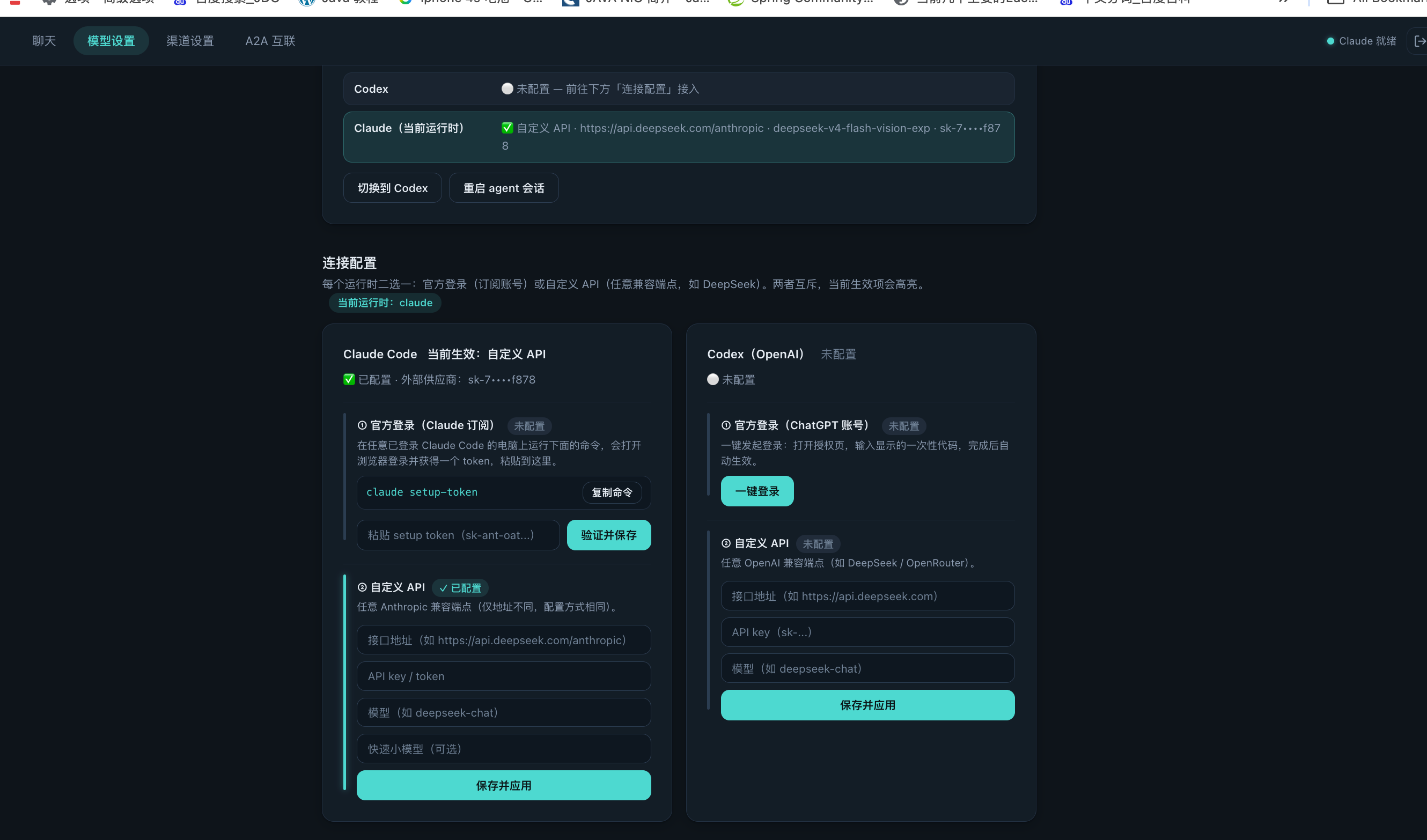
Restart the agent after configuring a model: saving credentials or a model restarts the agent session, and the daemon (activity-monitor) brings it back up automatically. Relaunch takes a few seconds — the session state may briefly show "no running session" or "starting"; wait or click the Restart agent button. If a session was stuck on a login screen, the restart force-ends it and launches a fresh session with the new config.
Channels and integrations
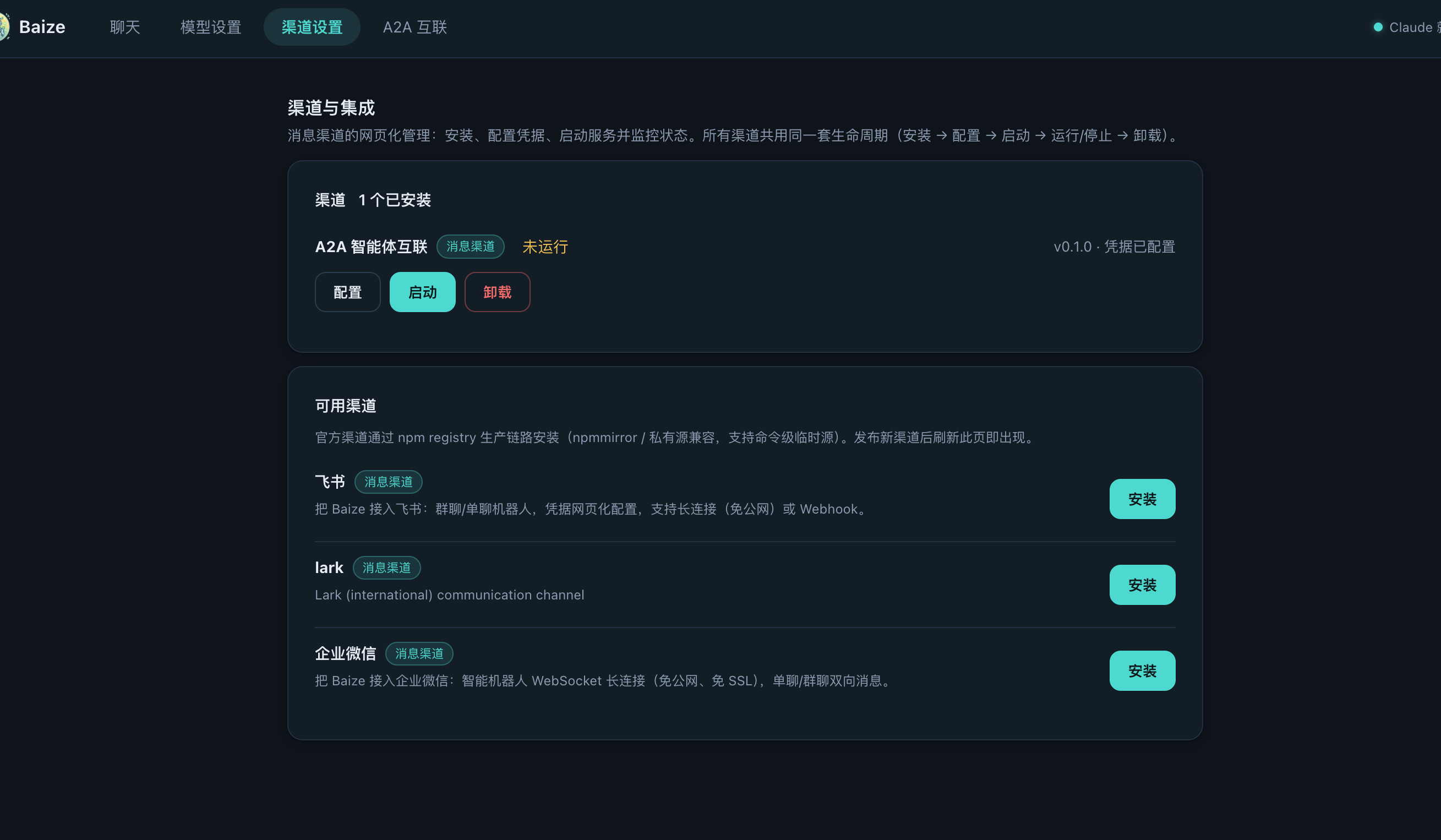
Install, configure, start, stop and remove connectors. Every channel follows the same lifecycle:
install → configure → verify → start → running / stopped → uninstallUninstalling a connector preserves its data so it can be restored after reinstall.
Installation wait note: after clicking Install, the backend downloads the package, installs dependencies and compiles native modules — usually 1–5 minutes. Do not refresh or close the page while installing; wait for the completion notice.
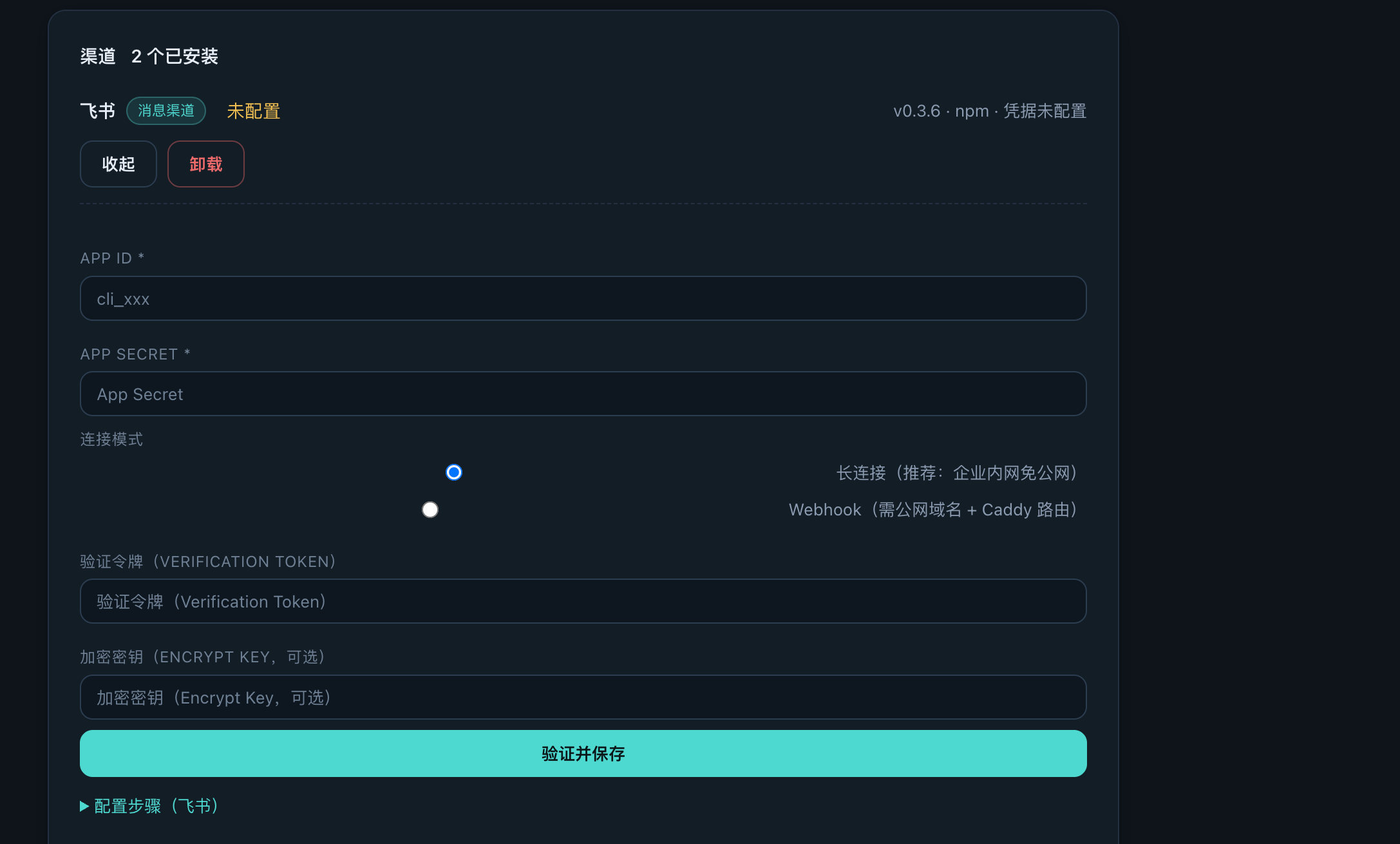
After installing Feishu / Lark, continue in the installed channel card to enter the App ID, App Secret, connection mode and verification parameters:
A2A page
The A2A page appears when the commercial A2A capability is installed. It exposes the local identity, registration status, peer discovery, task board, messages, Agent Card editing and call authorization.
A2A collaboration and Admin Workspace are commercial-version capabilities and require commercial authorization. The single-instance Web Console remains available in Baize Core.
Recommended first session
- Open Model settings and connect a runtime.
- Send a short message in Chat.
- Install one channel, such as Feishu/Lark or WeCom.
- Verify a direct message from the connected platform.
- Review channel status and logs before adding more components.