Channels
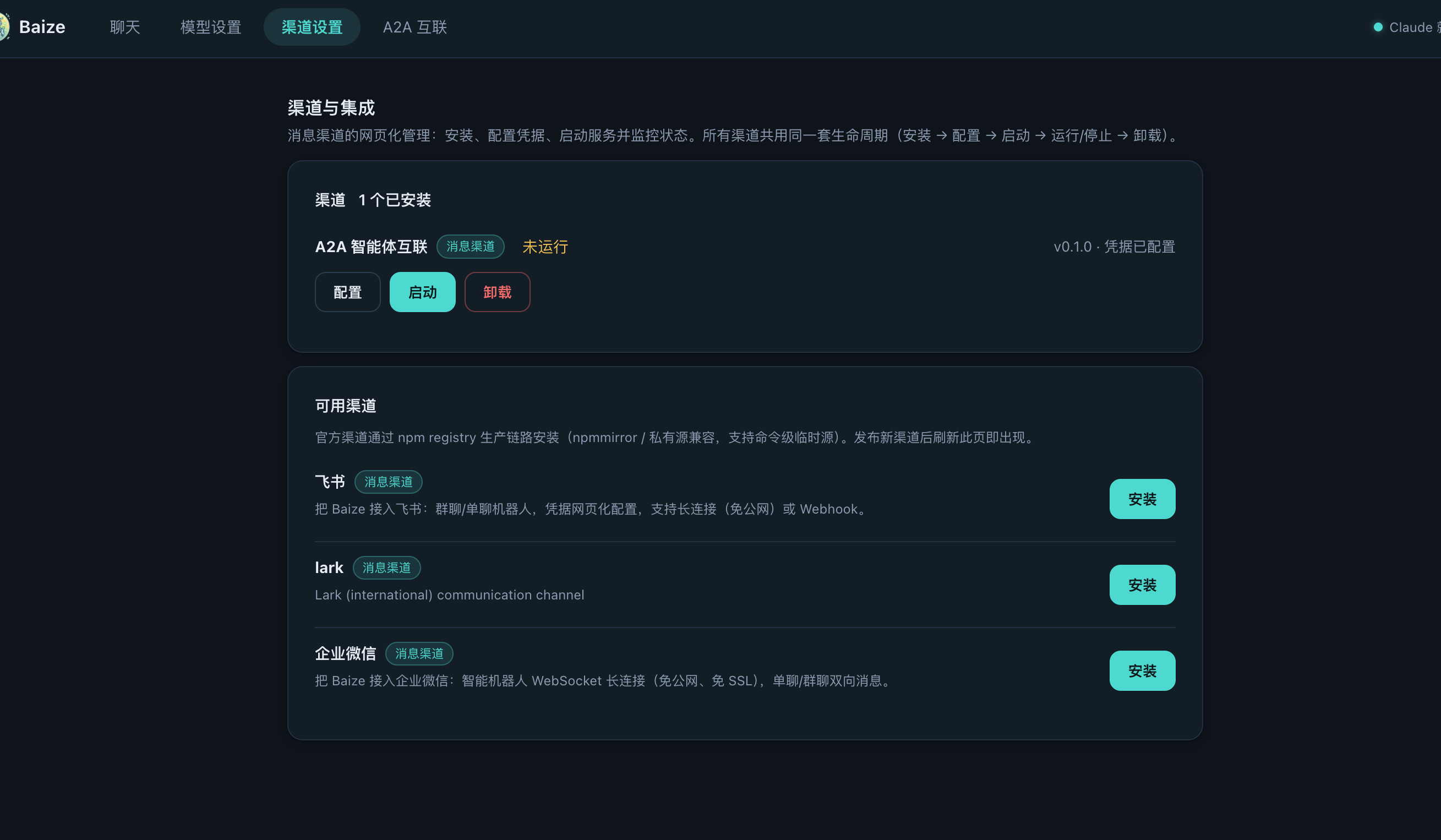
Channels are npm connector components that plug messaging platforms into the unified communication bus. Official channels distribute via an npm registry (default registry.npmjs.org; configure npmmirror or a private registry — see Configuration), install in one command, and appear in the web console catalogue automatically.
First-party channels
| Channel | Mode | Guide |
|---|---|---|
| Feishu / Lark | WebSocket long connection or Webhook | Setup guide |
| WeCom | Intelligent-bot WebSocket long connection | Setup guide |
Other channels are reserved for later guides: see the list.
Install and search
Every channel follows the same lifecycle: install → configure credentials → start → running/stopped → uninstall. Installation and configuration are available in Web Console or through the CLI.
Installation wait note: whether you click Install in the Web Console or run
baize add, the backend downloads the package, installs dependencies and compiles native modules (e.g. better-sqlite3). This usually takes 1–5 minutes, longer on slow networks. While installing from the Web Console, do not refresh or close the page — wait for the completion notice.
baize add feishu                    # default npm registry
baize add wecom --registry https://registry.npmmirror.com  # temporary source
baize search                        # dynamic catalogue from the active registry
Dynamic discovery
The catalogue is dynamically discovered: publish a channel package with the baize-channel keyword and it appears — in CLI baize search and the web console — with no code change. Custom/private channels can be added via config.json channels.
Communication bus protocol
All channels connect through the communication bus protocol: a simple HTTP interface that pushes messages into the unified gateway. Custom channels get the same unified session, audit trail and memory as the official ones.